Skip to main content
-
Get started
-
Account
-
Build a campaign
-
Post-launch
-
Best Practices
-
All
- Automated emails for campaign performance reporting
- Inviting additional members to your team
- Campaign performance reports
- Creating additional teams
- Privacy policy and terms
- Frequently asked questions
- Retrieving your Adomni account password
- Bulk content creation services
- How concierge services works
- Pricing of digital out of home inventory
- Retargeting exposed audiences with native mobile phone ads
- Types of programmatic delivery methods supported
- Geofencing for digital out of home
- Custom maps of screen locations
- Audience targeting with Audience IQ
- Privacy Policy and Terms
- Frequently asked questions
- Requesting credit terms
- Content approval process
- Uploading content to your content library
- Content design tips
- Managing your campaigns
- Submitting a campaign plan request
- Sharing a campaign plan
- Creating an advertising campaign
- Exploring Adomni's screen inventory
- Retrieving your Adomni account password
- Show all articles ( 12 ) Collapse Articles
< Back
What are campaign performance reports?
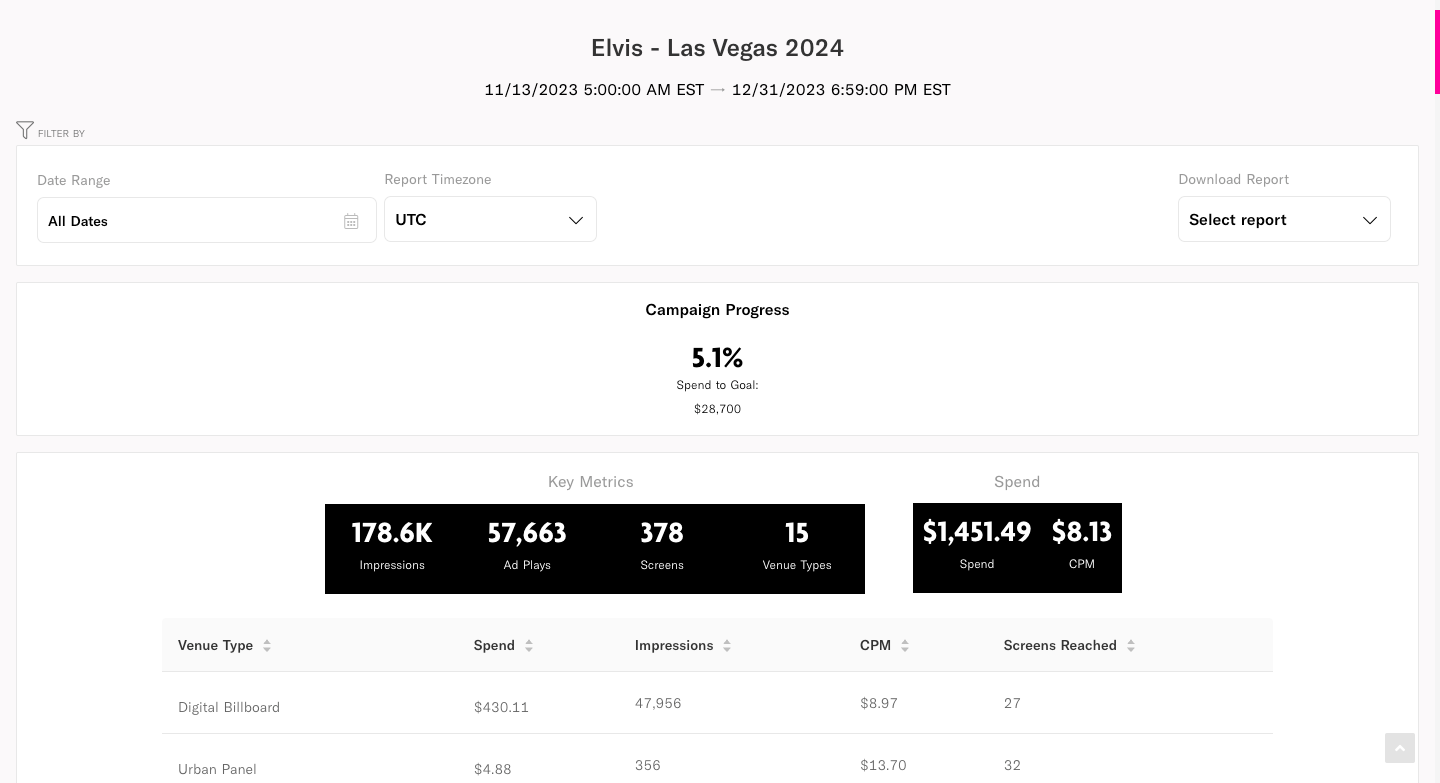
Campaign performance reports provide an overview of the campaign’s budget spend, impressions delivered, ad plays and CPM. The data in this report allows advertisers to monitor the health of their campaigns in real time.
How to view a campaign’s performance report
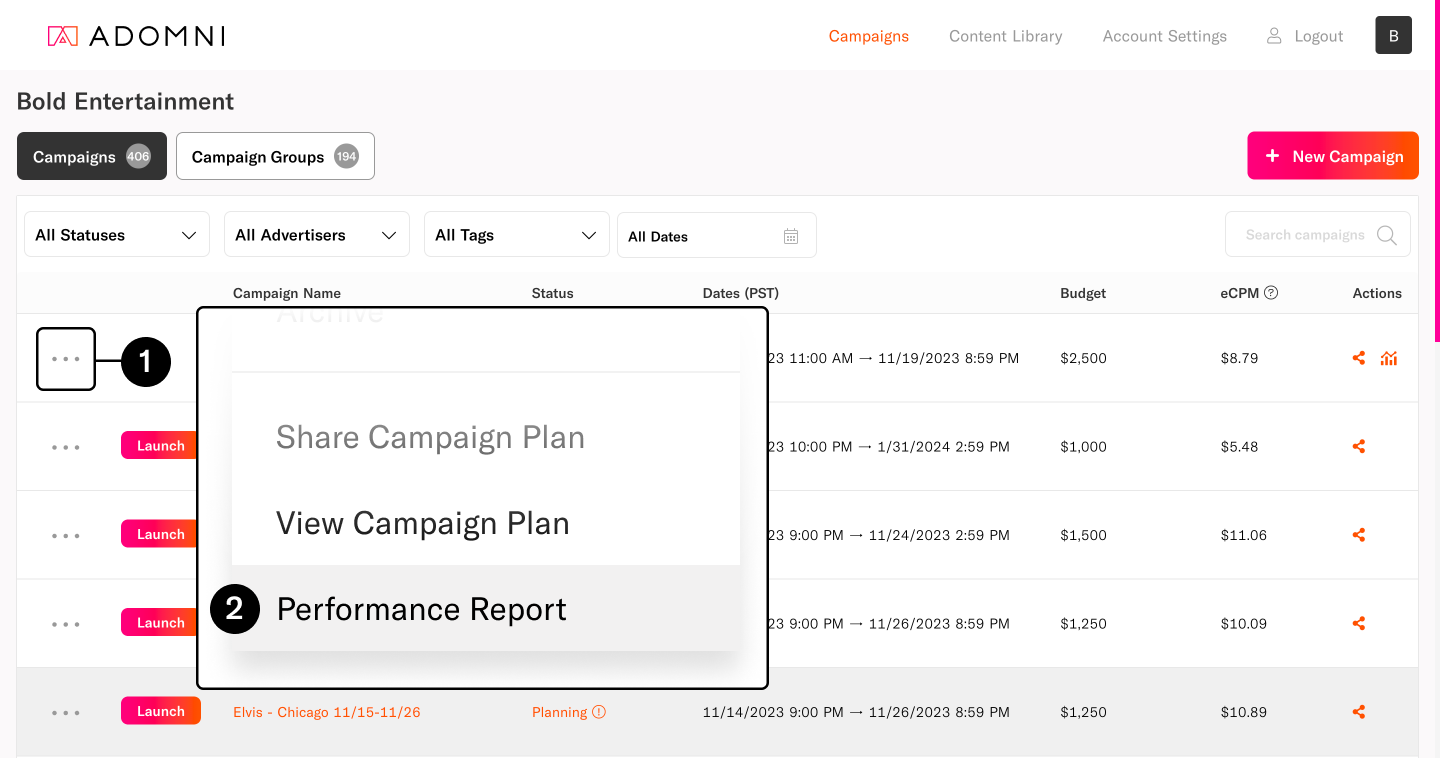
- On the campaign dashboard, click the ••• icon
- Select Performance Report
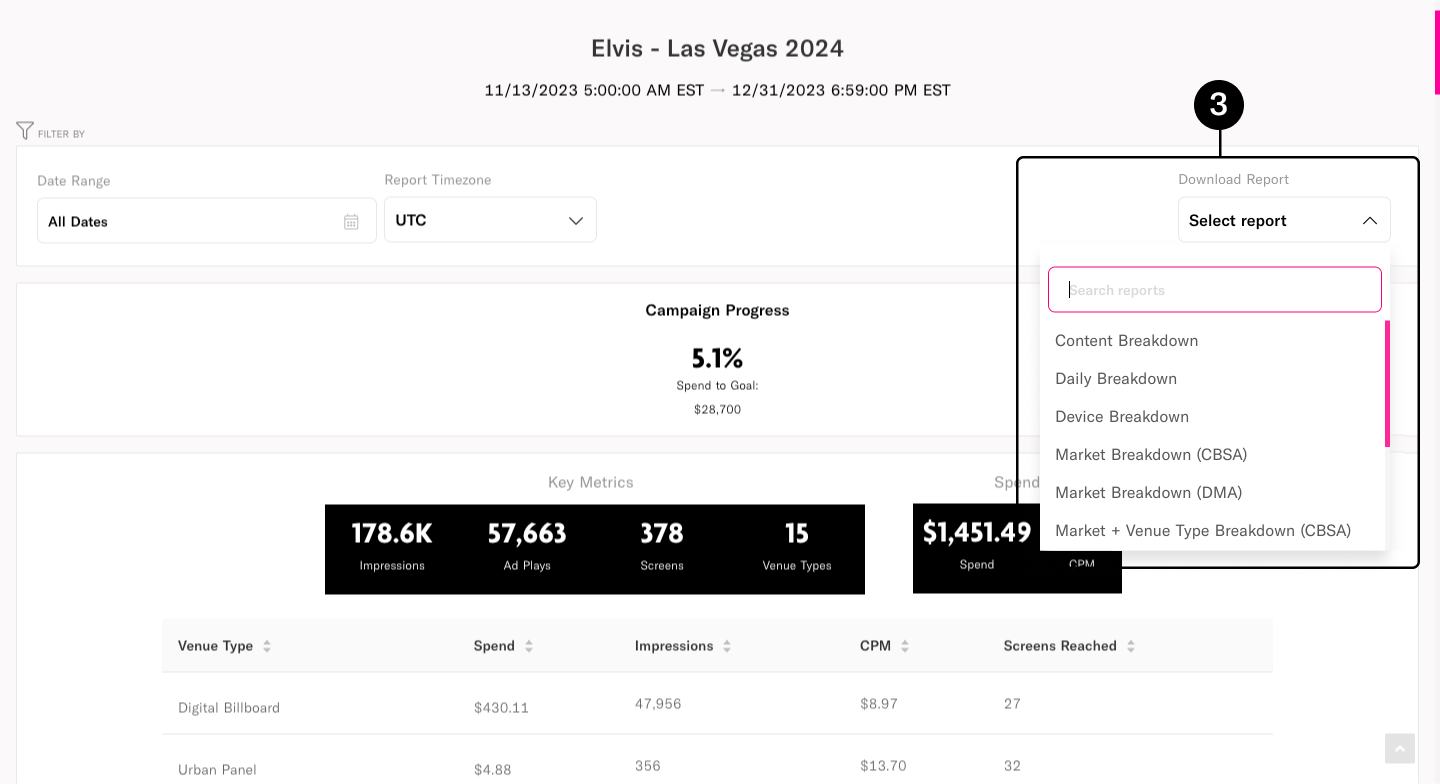
- To get specific CSV reports, select from Download Report
Was this article helpful?
0 out Of 5 Stars
| 5 Stars | 0% | |
| 4 Stars | 0% | |
| 3 Stars | 0% | |
| 2 Stars | 0% | |
| 1 Stars | 0% |
5
Table of Contents