Skip to main content
-
Get started
-
Account
-
Build a campaign
-
Post-launch
-
Best Practices
-
All
- Automated emails for campaign performance reporting
- Inviting additional members to your team
- Campaign performance reports
- Creating additional teams
- Privacy policy and terms
- Frequently asked questions
- Retrieving your Adomni account password
- Bulk content creation services
- How concierge services works
- Pricing of digital out of home inventory
- Retargeting exposed audiences with native mobile phone ads
- Types of programmatic delivery methods supported
- Geofencing for digital out of home
- Custom maps of screen locations
- Audience targeting with Audience IQ
- Privacy Policy and Terms
- Frequently asked questions
- Requesting credit terms
- Content approval process
- Uploading content to your content library
- Content design tips
- Managing your campaigns
- Submitting a campaign plan request
- Sharing a campaign plan
- Creating an advertising campaign
- Exploring Adomni's screen inventory
- Retrieving your Adomni account password
- Show all articles ( 12 ) Collapse Articles
< Back
What are teams?
Teams lets multiple users share the same account to manage campaigns.
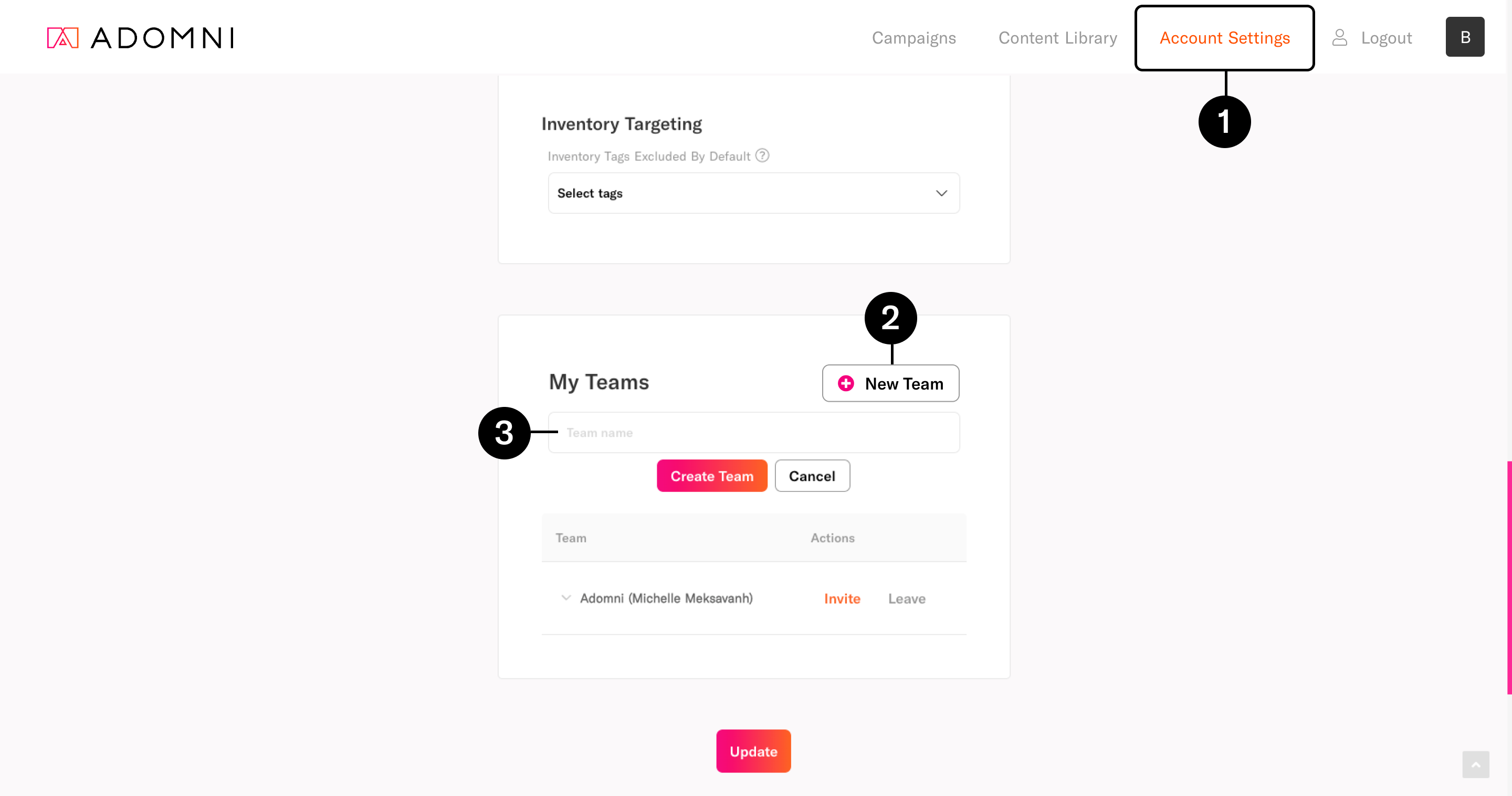
How to create a team
- Go to Account Settings
- Under My Teams, click New Team
- Enter a team name and click Create Team
Was this article helpful?
0 out Of 5 Stars
| 5 Stars | 0% | |
| 4 Stars | 0% | |
| 3 Stars | 0% | |
| 2 Stars | 0% | |
| 1 Stars | 0% |
5
Table of Contents